
Account groups
A group is a saved selection, not a second kind of thing. Its members are ordinary accounts that happen to point at it, and everything you can do to an account you can still do to it inside a group.
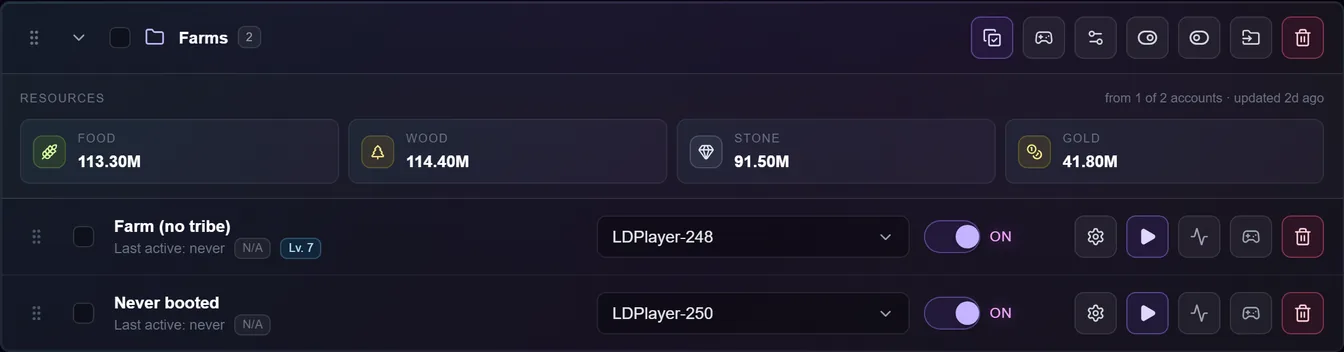
The card header carries a drag handle, a collapse chevron, a checkbox that selects every member, the group name and the member count. On the right are the group-wide buttons: apply an action set, update/install the game, configure instances, enable, disable, move the whole group to another tab, and delete the group.
Each does exactly what the same button on the bulk toolbar does, with the group's members as the target.
Group order is queue order
This is the part worth knowing. A group sits at the position of its first member, and its other members fold in behind it. So dragging a group around reorders the accounts inside it as a block, and the bot runs them in that order.
Groups and ungrouped accounts share one list, so a group can sit between two ungrouped accounts.
The resources strip
Expanding a group shows its members' combined stockpiles, with a note saying how many accounts that came from — "from 1 of 2 accounts" means only one member has ever been read.
An account the bot has never booted contributes nothing, so the denominator is shown rather than hidden: an unread group shouldn't look like a poor one. See account snapshots.
Moving accounts in and out
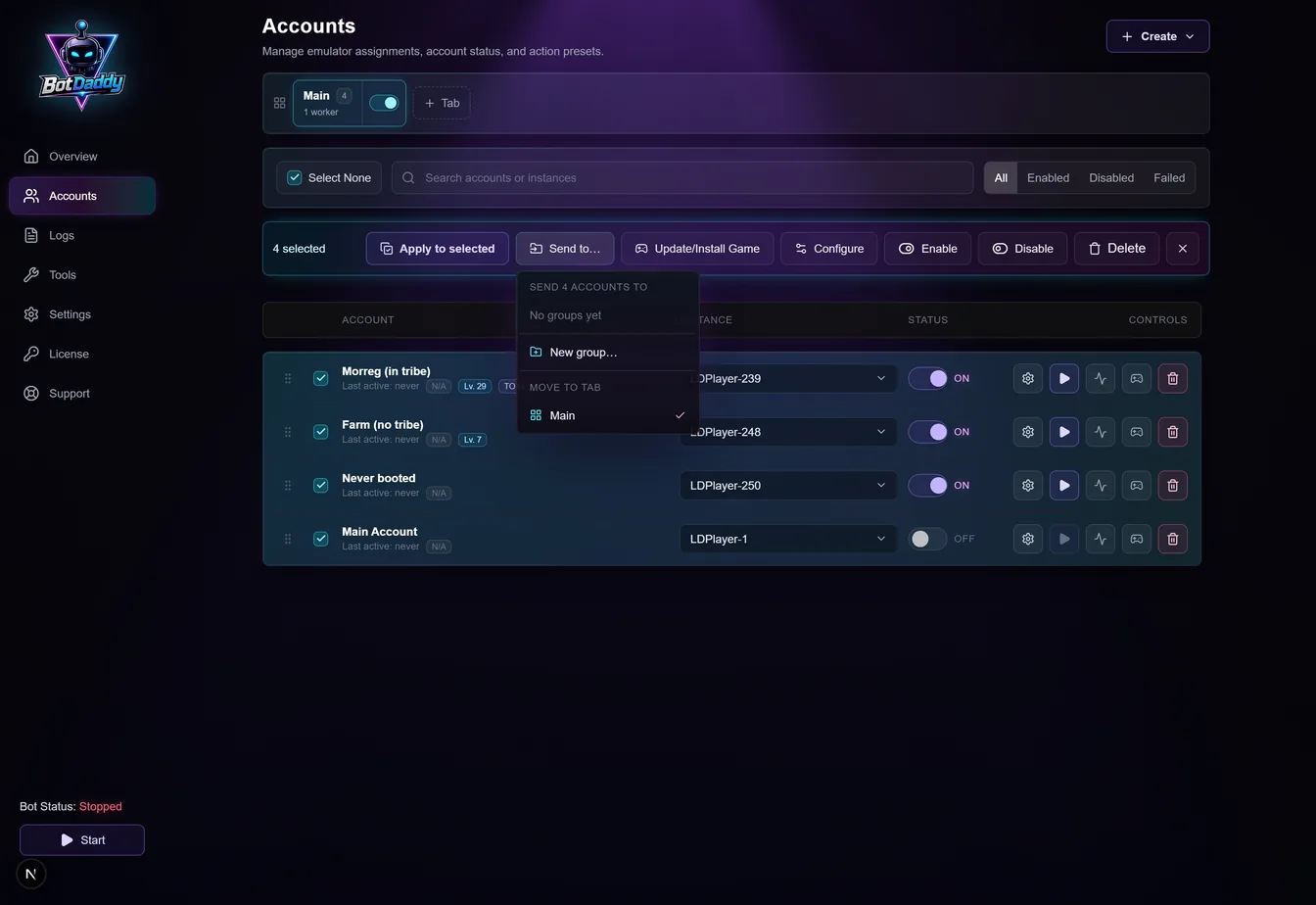
A drop never changes membership. Dragging reorders; to take an account out of a group, use Send to… and pick Ungrouped.
Sending one account to another tab moves only that account, and it stays in its group. The group is then in two places at once — drawn in both tabs, each showing the members it has there — while the header count still says the total, so "1 of 4" tells you the other three are elsewhere.
Sending an account into a group that lives in another tab moves it to that group's tab. Joining a folder puts you where the folder is.
Troubleshooting
I deleted a group — did I lose the accounts? No. The folder goes, the accounts move back to Ungrouped, each keeping its place in the overall order. You're asked to confirm and the confirmation says how many will move.
A filter is hiding some members. The group's buttons still act on all its members, not just the visible ones. The header count is there so you can see the difference.
Select All with groups on screen. It selects every account in the current tab, members included.
Configure is greyed out. The bot is running. Enable, Disable and Apply work while it runs; Configure doesn't, the same as everywhere else.
I made an empty group. It sits in the tab you created it in until it has members. Once it has members it's drawn wherever they are.