
Account tabs
Tabs exist to stop one kind of account starving another. A few accounts running long rallies used to compete for workers with your whole farm fleet; give them their own tab and they can't be crowded out.

What a tab is
Tabs sit across the top of the Accounts screen. Every account lives in exactly one, and there's always a Main tab holding everything you haven't moved elsewhere.
Each tab runs its own queue with its own workers, and all tabs run at the same time under the one Start button. So a tab of heavy rally accounts on two workers keeps rallying while a tab of fifty farms cycles on six, and neither waits on the other.
Three things people use them for:
- Protecting slow accounts — long-rally accounts get guaranteed workers.
- Cycling small accounts faster — baby accounts lap on their own schedule instead of waiting for a big account's lap.
- Parking a set — switch a tab off and it doesn't run at all. That's the easy way to keep, say, instances used for another game out of the run without disabling every account one by one.
How the workers are split
The worker total is still one setting, Settings → Runtime. Tabs divide it.
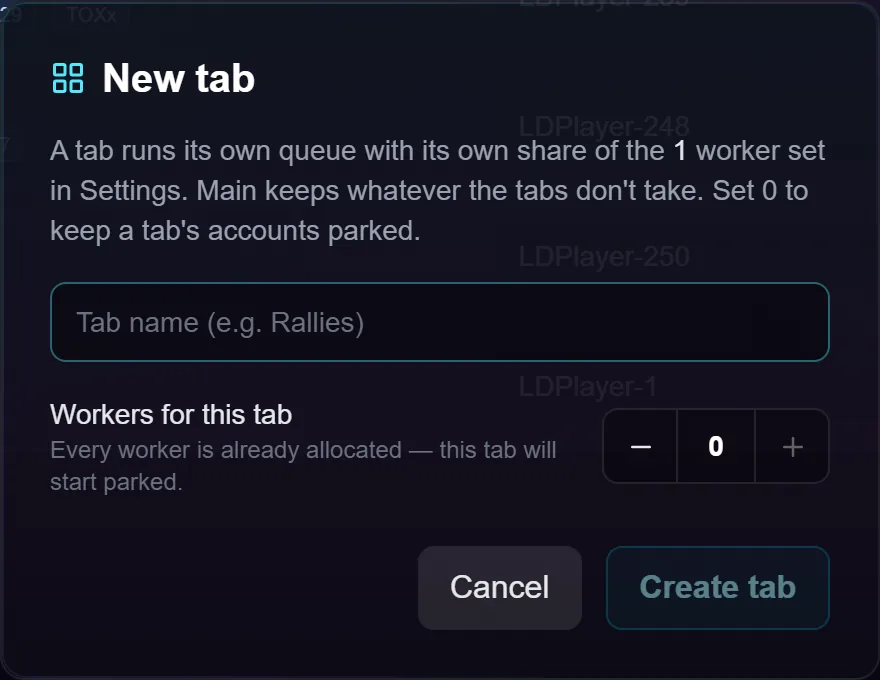
- Each tab you create gets a worker count, and that count is a ceiling.
- Main is the master tab and takes whatever is left. You never set Main's number. If Settings says 8 and your tabs ask for 2 and 3, Main gets 3.
- Main is served first. Whenever it has an enabled account it keeps one worker before the other tabs are given theirs, so no combination of numbers can leave Main with nothing.
- Spare workers go to Main, never to another tab. Three workers on a tab with one account means two go back to Main for that session — so a tab can never be starved by a neighbour.
- Every tab, Main included, has an on/off switch on its chip. A switched-off tab takes no workers and keeps its count for when it comes back.
The strip shows the split live, and the Settings page shows the same.
Moving accounts around
Select some rows, use Send to… and pick the tab, or right-click a row. Exactly the accounts you picked move — nothing else comes with them. Your selection is cleared after a move so you never act on rows you can no longer see.
Moving one account that's inside a group moves only that account, and it stays in its group. The group is then in two places at once, drawn in both tabs, each showing the accounts it has there — and the header count still says the total, so "1 of 4" tells you the other three are elsewhere. To move a whole group, use the move button on its header.
Starting with tabs
Start asks where each tab's queue should begin. Continue where each tab left off is the one to use if you stop and start often: every tab picks up from its own most recently finished account, so no tab keeps re-running its first few rows while the rest never get a turn.
Pressing Start on one account's row puts that account first and leaves every other tab where it was — pinning one account is a statement about one tab.
Troubleshooting
A tab says "Parked". It's set to 0 workers, so its accounts sit out the run. They keep every setting.
A tab says "Switched off". Same effect, except it keeps its worker count — switch it back on and it gets the same share it had.
I switched a tab back on and a chip turned red. Switching it on can ask for more than the total, because you raised the others while it was off. Main keeps its worker, tabs are served left to right, and the last ones get fewer than they asked for. Lower a tab or raise the total.
Start refuses. Every tab is switched off, parked or empty. It names which, so a bot that would do nothing never claims to be running.
My tab edit didn't take effect. Worker counts, switches, renames and reordering are saved now and applied at the next Start. The running session keeps the split it began with.
Deleting a tab is refused. Stop the bot first. The running session was split using that tab.
I deleted a tab — where did the accounts go? Back to Main, each keeping its place in the overall order, along with any empty group parked there. The workers return to Main too.
I switched Main off and new accounts don't run. New accounts land in Main. With Main off, a new account doesn't run until you move it into a tab or switch Main back on.
Two accounts on one emulator are in different tabs. They still take turns on that emulator exactly as they would inside one tab. Neither tab is blocked meanwhile.
Search and filters don't see my other accounts. Search, the status filters and Select All only look at the tab you're on. That's deliberate.