
Action schedules
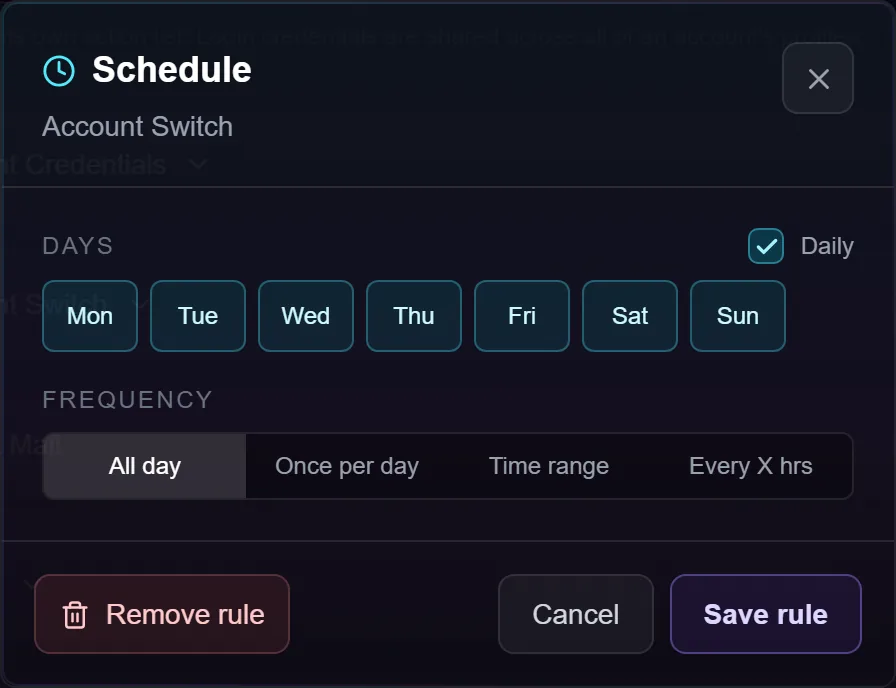
Every action has a small clock button next to its on/off switch. It opens a Schedule window where you set one rule: which days the action may run, and how often.
Without a rule an action runs every time the account comes round. With one, the bot checks the rule first and quietly passes over the action when it isn't due. The clock lights up cyan when an action is gated, so you can see at a glance which ones are.
What it's for
- Things that only pay out once or twice a day — tribe gifts, mail, daily quests. Running them every lap wastes minutes per account and gains nothing.
- Spreading heavy actions out so they stop competing with the ones you want every lap.
- Time-of-day play — keeping an action to your waking hours without switching it on and off by hand.
Schedules get considerably more useful once you know that any action can be added to an account more than once — right-click it and choose Clone. Each copy carries its own rule, so "gather wood in the morning and stone at night" is two gathering copies with two time ranges rather than one action you keep editing. See the Accounts screen for how cloning works.
Setting a rule
Days. Seven pills, Mon to Sun. The Daily checkbox ticks or unticks all seven. At least one day must be selected — Add rule stays greyed out until it is, and says so.
Frequency. Four options, exactly one active:
| Option | What it means |
|---|---|
| All day | No time restriction. Runs every lap, on the days you picked. |
| Once per day | At most one successful run per calendar day. |
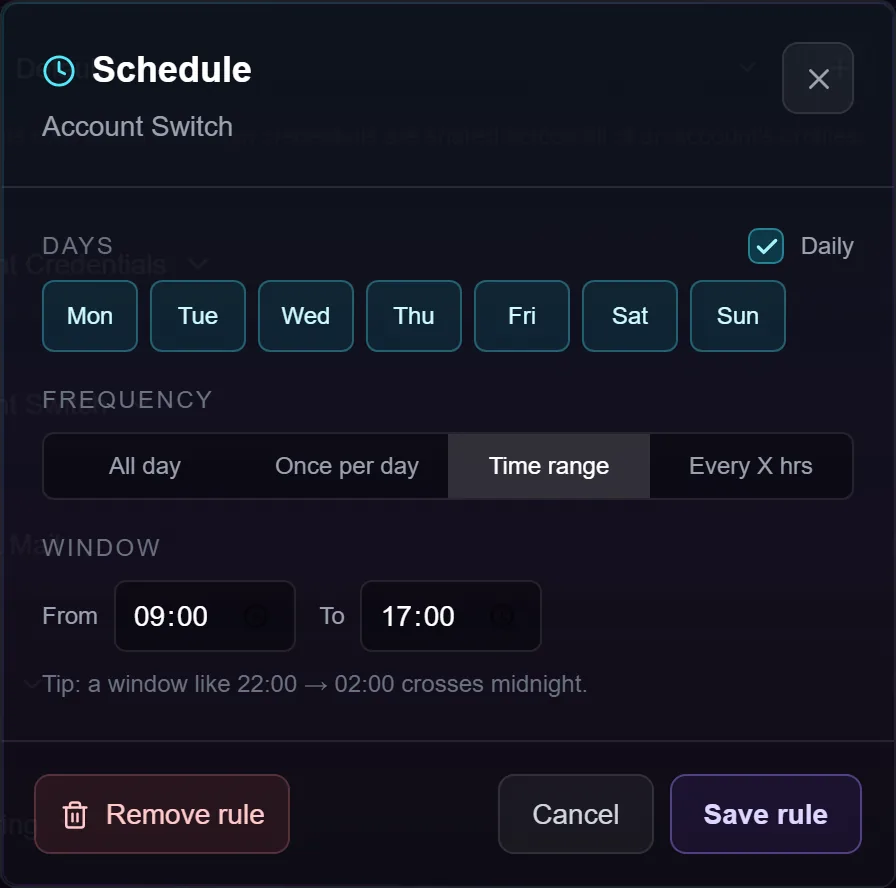
| Time range | Only between two clock times. |
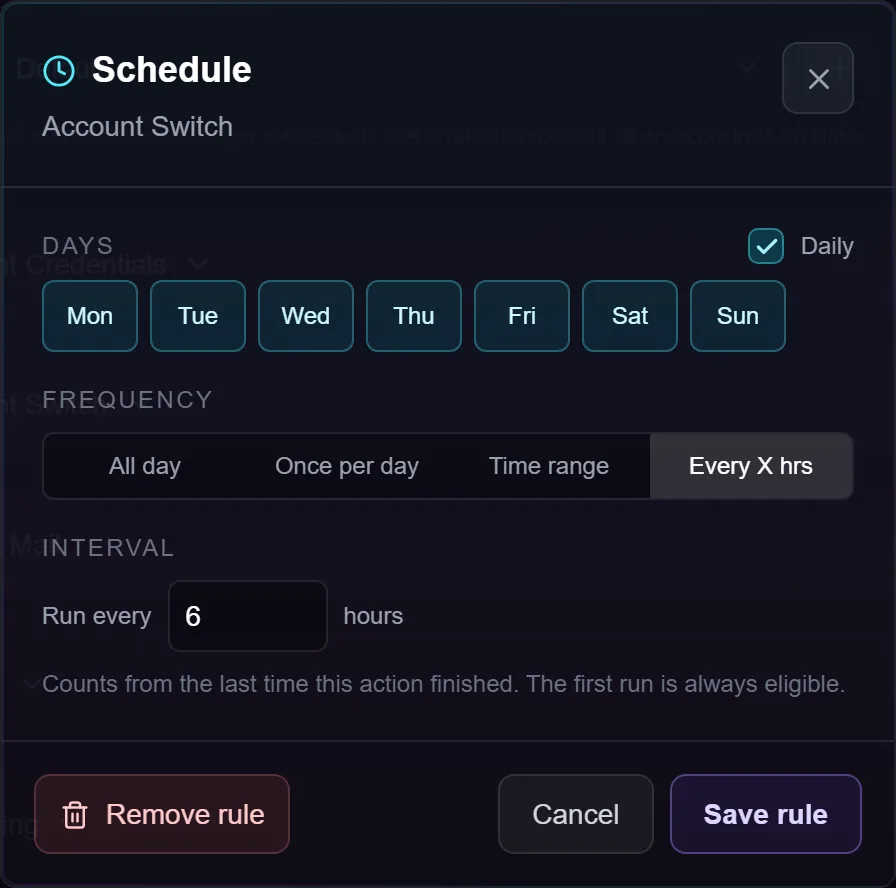
| Every X hrs | Only once a set number of hours has passed since it last ran. |
"Every X hrs" counts real-world time
This is the one people ask about most, so it's worth being exact.
The clock is the wall clock, not the bot's running time. If an action finishes at 1am and you set 12 hours, the next run is allowed from 1pm — whether or not the bot was running in between. Stopping the bot, pausing it, closing BotDaddy, shutting the PC down, a crash, a restart: none of it pauses the countdown.
The countdown runs from the moment the action last finished, not from when you set the rule. An action that has never run is always allowed immediately, so a fresh rule takes effect on the next lap rather than making you wait out the interval first.
"Not before", never "at"
A schedule says when an action becomes allowed, not when it will happen. The bot only checks the rule when that account's turn comes round.
So an account that laps every ten minutes runs a 12-hour action somewhere in the ten minutes after the 12-hour mark. An account with a long cycle can be later still. Expect the interval you set plus up to one lap. That's normal and isn't drift you need to correct.
What counts as "a run"
The clock restarts when the action finishes — and that includes finishing with nothing to do. An action that opens the page, finds the reward already claimed and reports it's done has run, and waits the full interval.
If the action genuinely fails, the clock does not restart; it stays due and the bot keeps trying. The exception is an action that fails, gets its retry, fails again and is given up on for that lap — that counts as its run.
Troubleshooting
I changed the rule mid-run and nothing happened. The change is saved immediately, but the running bot keeps working from the action list it started with. Stop and Start to pick it up.
The bot was off over the time it was due. It runs once on the first lap after you start again — not once for every interval it missed. A 12-hour action and a three-day outage gives you one run, not six.
My interval schedule keeps drifting later. The next run is counted from when it actually ran, not from when it was due. Over time an interval schedule drifts forward by however long the bot was unavailable. If you want it pinned to clock times, use Time range.
The interval landed on a day I didn't tick. It waits. Days are checked first, always.
My time window crosses midnight and stops half way. The day pills are checked against the day it is right now, not the day the window opened. A Monday-only 22:00 → 02:00 window runs until midnight and then stops, because the small hours belong to Tuesday. Tick both days.
I'm inside a Time range and it runs every lap. The window controls when it may, not how often. One run inside a window can't be expressed with a window alone today.
Is "Once per day" the same as every 24 hours? No. It's once per calendar day, resetting at midnight on your PC — so an action that runs at 11pm can run again at half past midnight. For a genuine 24-hour gap use Every X hrs set to 24.
I copied an action to other accounts. The rule comes with it, but the copy arrives with a clean slate — it has never run, so it's allowed on its first lap.
It still doesn't run. Check in this order: the action's own on/off switch, the account being enabled, the day pills, and whether the bot was actually running when it came due. The log records which actions were passed over on a schedule and when each is next due.
Can I schedule the login details? No. Credentials are used when the account logs in, not as a queued action, so they have no clock button.