
Parallel Boot
Normally BotDaddy starts your emulators one at a time — it launches one, waits for it to finish booting, then launches the next. Parallel Boot changes that: instances start a few seconds apart and keep booting at the same time, so the whole fleet is up much sooner.
It's off by default, and turning it off puts everything back exactly as it was.
Why you'd turn it on
The bigger your fleet, the more of its time is spent waiting to start. A single emulator takes somewhere between 40 seconds and two and a half minutes to be ready.
| Instances | One at a time | Parallel Boot, 5s apart |
|---|---|---|
| 5 | about 6 minutes | about 20 seconds |
| 10 | about 12 minutes | about 45 seconds |
| 15 | about 18 minutes | about 70 seconds |
At 15 instances the old behaviour means the first account has often finished its work and shut down before the last one has even opened the game — so you never actually see 15 running at once, whatever you set the worker count to. That's the problem this solves.
Turning it on
- Open Settings.
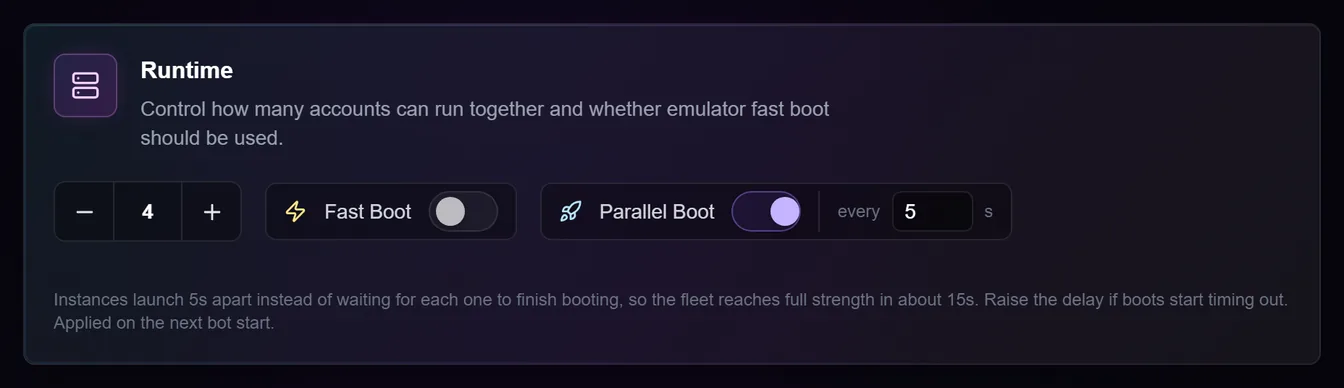
- Switch on Parallel Boot in the Runtime box.
- A small every … s box appears. That's the gap between launches.
- Press Save.
- Stop and Start the bot. Like the worker count and Fast Boot, this only takes effect on the next start.
Choosing the delay
The delay is how long BotDaddy waits after starting one emulator before starting the next. It's not how long it waits for one to finish.
5 seconds is the default and a good starting point. From there:
- Boots working fine and you want the fleet up faster — lower it. 2 or 3 seconds is reasonable on a strong PC with a fast SSD.
- Instances start failing to boot after turning this on — raise it. 10 or 15 gives each emulator more of the PC to itself while it starts.
- 0 means no gap at all — every instance told to start at once. It's allowed, and on a strong PC it works, but it's the hardest thing you can ask of your machine.
The maximum is 120 seconds, above which you aren't really booting in parallel any more.
Rough guide: delay × instances is roughly how long until the last one starts.
Troubleshooting
Accounts started restarting after I turned this on. The delay is too low for your PC. Emulators take longer to boot when several start at once, and if they take too long BotDaddy gives up and retries. Raise the delay. Nothing is damaged; it just wastes time.
My PC is slow or short on memory. Be careful with this. Booting is the most demanding moment in an emulator's life. Start at 10 seconds and work down, rather than starting at 0 and working up.
I have more instances than my PC can really run. Parallel Boot won't help — it starts them faster, but they still all have to run afterwards. Lower your worker count instead.
I use Fast Boot as well. Fast Boot does nothing while Parallel Boot is on. Its job is to decide how far into the boot BotDaddy waits before starting the next instance, and Parallel Boot stops waiting for the boot at all. Leave it on; it simply has no effect.
I use account tabs. The gap is shared across the whole fleet, not per tab.
One instance failed to start. Nothing changes for the rest — a stuck instance can no longer hold up everyone else's launches, because nothing is waiting on it.
I changed the delay while running. Saved, but not used until you stop and start again.
Is "Booting Delay" the same thing? No — that one, in Advanced Timeouts, is a short pause after BotDaddy closes leftover emulators at startup, before it begins launching. You don't need to change it for this feature.