
Migrating from GnBots
Two parts to this: moving your account list across, which is a single click, and preparing your LDPlayer instances, which is the part that will bite you if you skip it.
Read the instance section first. It's not optional.
Rebuild your instances before you start
An LDPlayer instance that has previously been run with GnBots will crash persistently under BotDaddy, and must be rebuilt before use.
This is not a preference or a tidiness recommendation. The two tools read the game's memory in fundamentally different ways: BotDaddy reads without altering anything, while GnBots permanently modifies game memory for the session. An instance carrying those modifications is left in a state BotDaddy cannot work with, and the result is repeated crashes that look like a BotDaddy fault and aren't fixable by any amount of retrying.
Use the Rebuild Instances tool in BotDaddy. It wipes and recreates instances with the recommended profile and reinstalls the game. It's destructive by design and only runs while the bot is stopped.
Your account bindings survive the rebuild — BotDaddy repoints them at the recreated instances — so this costs you the download time, not your setup.
If you'd rather rebuild by hand in LDMultiPlayer, that works too. What doesn't work is pointing BotDaddy at an instance GnBots has used and hoping.
Import your accounts
The Import from GnBots tool, on the Tools screen, finds
GnBots' settings.json automatically and brings across your accounts, logins,
and the action settings that have a BotDaddy equivalent.
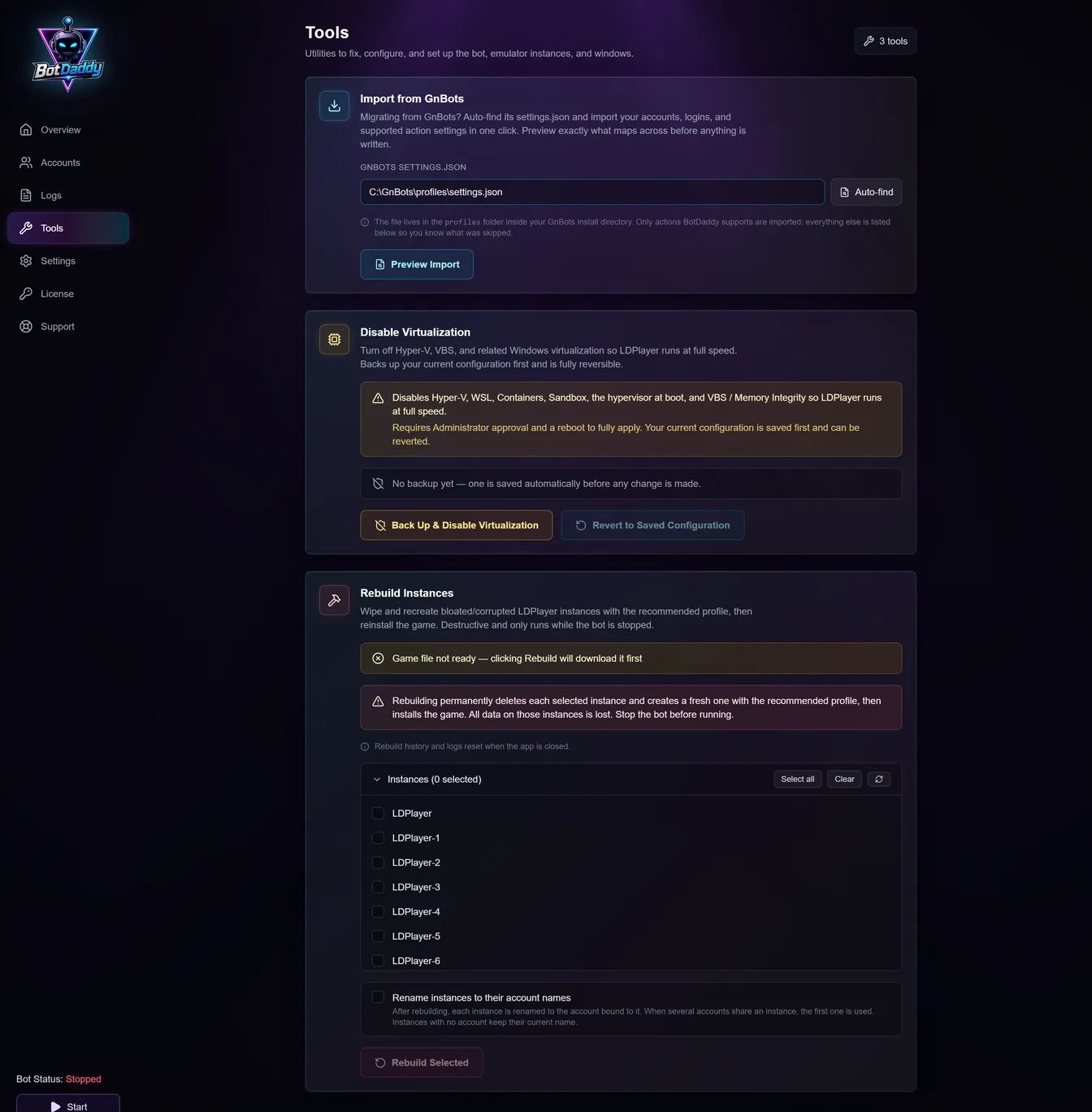
Auto-find locates the file for you — it lives in the profiles folder
inside your GnBots install. Preview Import shows exactly what maps across
before anything is written, which is worth actually reading: the two tools
don't have identical action sets, so some settings have no counterpart and
won't come over. Anything skipped is listed, so you can see what to configure
yourself afterwards.
Nothing is deleted from GnBots — the import only reads.
Reconfigure what didn't map
Expect to set up actions again rather than assuming the import finished the job. It's a good moment to reconsider rather than recreate: action ordering, per-action scheduling and the concurrency setting are all things BotDaddy handles differently, and copying your old setup exactly may not be the best use of them.
Start with Viking Rise bot setup for the basics, then Running multiple accounts for scaling across a farm.
Run one account first
Before starting forty accounts on a fresh install, run one and watch it complete a full cycle. It confirms the rebuild worked, the import mapped sensibly, and your concurrency setting is realistic — three things that are much easier to diagnose one at a time than all at once.
If instances still crash
Confirm the instance was actually rebuilt, not just restarted. A rebuild recreates the VM; restarting it changes nothing.
Check whether GnBots is still running. Two tools driving the same instance will fight, and the symptoms look like instability rather than a conflict.
One instance failing while others are fine points at that instance rather than the migration — rebuild that one again.