
Starting and stopping the bot
The Start button asks one question before it runs, and the answer matters more than it looks — picking wrong is how the accounts at the bottom of your list end up never getting a turn.
Starting
Start sits at the bottom of the sidebar on every screen, with the bot's current status above it. Pressing it asks:
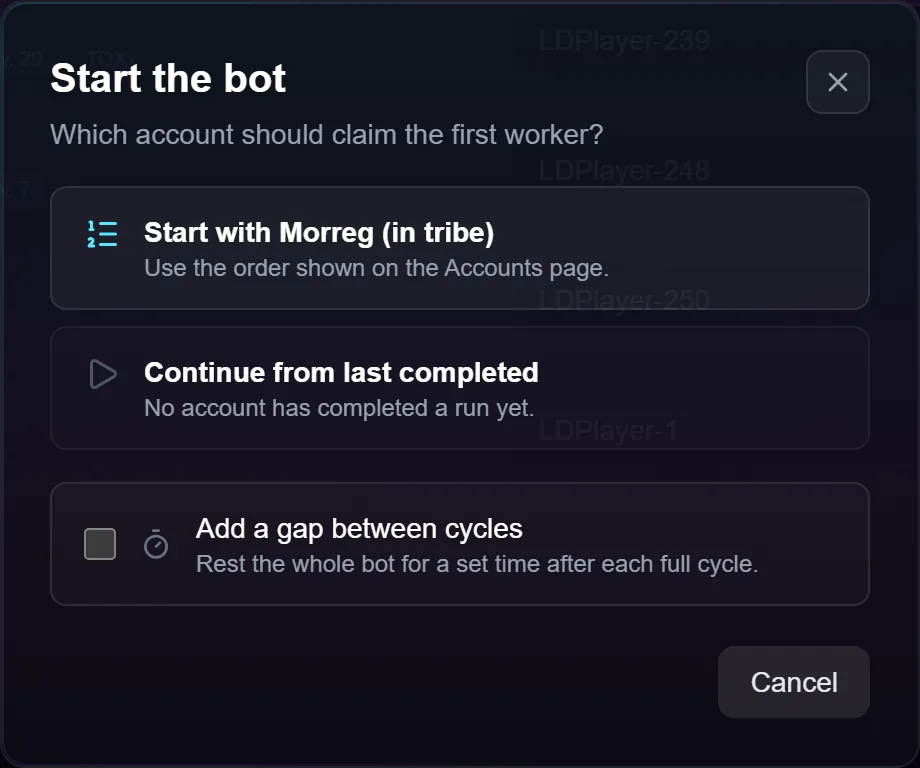
Start with <account> runs the list from the top, in the order you dragged your accounts into on the Accounts screen.
Continue from last completed picks up from the account that most recently finished a full lap. This is the one to use if you stop and start often — otherwise the bot keeps re-running the same first few accounts and the ones at the bottom never run at all. When nothing has completed yet, the option says so and starting from the top is the only thing it can do.
Add a gap between cycles rests the bot for a time you set after each full lap, instead of going straight round again.
If you use tabs, the dialog asks per tab and names the account each tab will pick up from, so you can see what will happen before committing.
Starting from one account
The play button on an account's row starts the bot with that account first. Every other tab continues where it left off rather than jumping back to its own first row — pinning one account is a statement about one tab, and shouldn't cost the others their place.
Stopping and pausing
Stop ends the run. Accounts mid-action are allowed to finish what they're doing rather than being cut off, so stopping isn't instant on a busy fleet. When the bot stops it closes the emulators it was running.
Pause holds the fleet where it is without ending the run. Resume carries on.
Both apply to the whole bot, not to one tab or one account. To take a single account out of a run, disable it on the Accounts screen; to take a set out, switch off their tab.
What you can change while it runs
- Action edits are saved immediately and apply the next time that account comes round.
- Tab and worker changes are saved but apply at the next Start. The running session keeps the split it began with.
- Instance configuration is refused. Stop the bot first — a running instance overwrites its own configuration when it shuts down.
- Deleting a tab is refused for the same reason.
- Emulators the bot doesn't own get closed. If you want to play an account by hand, take it out of the run first.
Troubleshooting
Start refuses. Either nothing is enabled, or every tab is switched off or has no workers. It names which rather than claiming to run while doing nothing.
I pressed Start twice. The second press is answered with "bot already running".
The app crashed while running. The bot notices at the next launch, and emulators left open are closed when you next press Start.
"Resting" never shows. It only appears when every tab is resting at once. Each tab rests on its own after finishing its lap.
Accounts done stays at zero. A lap through a full action list takes a while, especially the first time when instances have to boot. Watch the activity log instead — it moves continuously.
An account keeps failing. After repeated failures it's parked and the rest of the fleet carries on. The Logs screen names the reason.