
Automating the tribe shop in Viking Rise
Member Credits accumulate whether you spend them or not, and the weekly caps reset whether you hit them or not. Between those two facts sits a shop most people visit far less often than they should.
This guide assumes you've completed Viking Rise bot setup.
Turning it on is not enough. With nothing ticked the action never even opens the shop.
What the action does
One pass opens the tribe shop, works out what you can afford of the goods you ticked, and buys them cheapest first — until your credits run out or every ticked good is at its weekly cap.
Cheapest first is deliberate: it turns your balance into the most items, and stops one expensive good swallowing the whole pass.
Setting it up
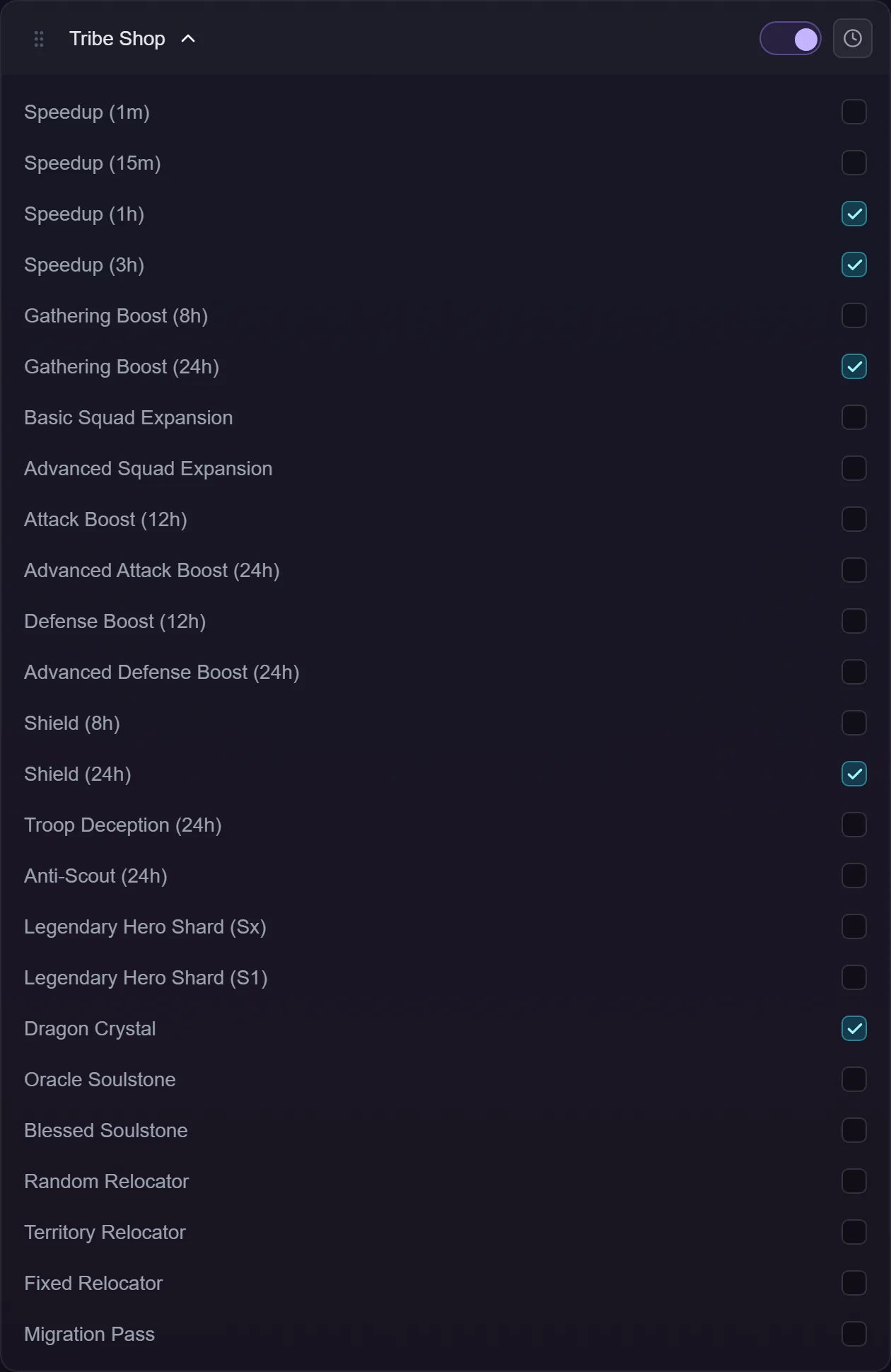
There's a checkbox per good — twenty-five of them, grouped as the shop groups them:
- Speedups — 1m, 15m, 1h, 3h
- Production — Gathering Boost 8h and 24h
- Battle — Basic and Advanced Squad Expansion, Attack Boost 12h and 24h, Defense Boost 12h and 24h, Shield 8h and 24h, Troop Deception 24h, Anti-Scout 24h
- Others — Legendary Hero Shard (Sx and S1), Dragon Crystal, Oracle Soulstone, Blessed Soulstone, Random / Territory / Fixed Relocator, Migration Pass
Nothing is ticked by default, and an unconfigured copy buys nothing at all.
Tick deliberately. The shop mixes cheap speed-ups with very expensive squad expansions and one-per-week relocators, so "buy whatever is cheap" is rarely what you want. If you're saving credits for something expensive, untick the cheap goods — otherwise cheapest-first will spend the balance before it gets there.
Weekly caps
Every good has a cap on how many you can buy per week, and the game tracks it on its own servers. The bot reads that counter each pass, so:
- a good already at its cap is skipped before it's even selected;
- several passes a day are safe — nothing is double-counted;
- the caps reset with the game's own weekly reset, not with anything the bot remembers.
If you want a pass timed for just after the reset, add a copy of the action with a schedule for that hour.
How a purchase is verified
The bot doesn't trust the confirmation dialog closing. It checks your credit balance before and after, and if the amount that actually left doesn't match what the purchase should have cost, it stops the pass rather than carrying on against a balance it can no longer explain.
The confirm dialog carries a "don't show again for this login" box. If you've ticked that, the dialog doesn't appear — its absence is an ordinary state, not a failure.
Troubleshooting
Nothing is bought. Nothing is ticked, or everything ticked is at its weekly cap, or you're out of credits. All three are clean outcomes.
It bought the cheap things and not the expensive one. That's cheapest-first working as designed. Untick the cheap goods to save for the expensive one.
A good was skipped. It's sold out for the week. The bot checks the counter before selecting it, so it never taps into a sold-out panel.
I'm not in a tribe. No tribe shop to open. Clean skip.