
Copying actions between accounts
Set one account up the way you want it, then hand that same setup to as many others as you like — in one go, without opening each of them.

How you use it
- Tick the accounts you want to change.
- Press Apply to selected.
- Choose where the setup comes from — the From account tab to copy from another account, or Saved profiles to use one you saved earlier in the Profiles library (the button at the top of the Accounts screen).
- Press Apply Settings (or Add Profile, if you're adding it as a profile).
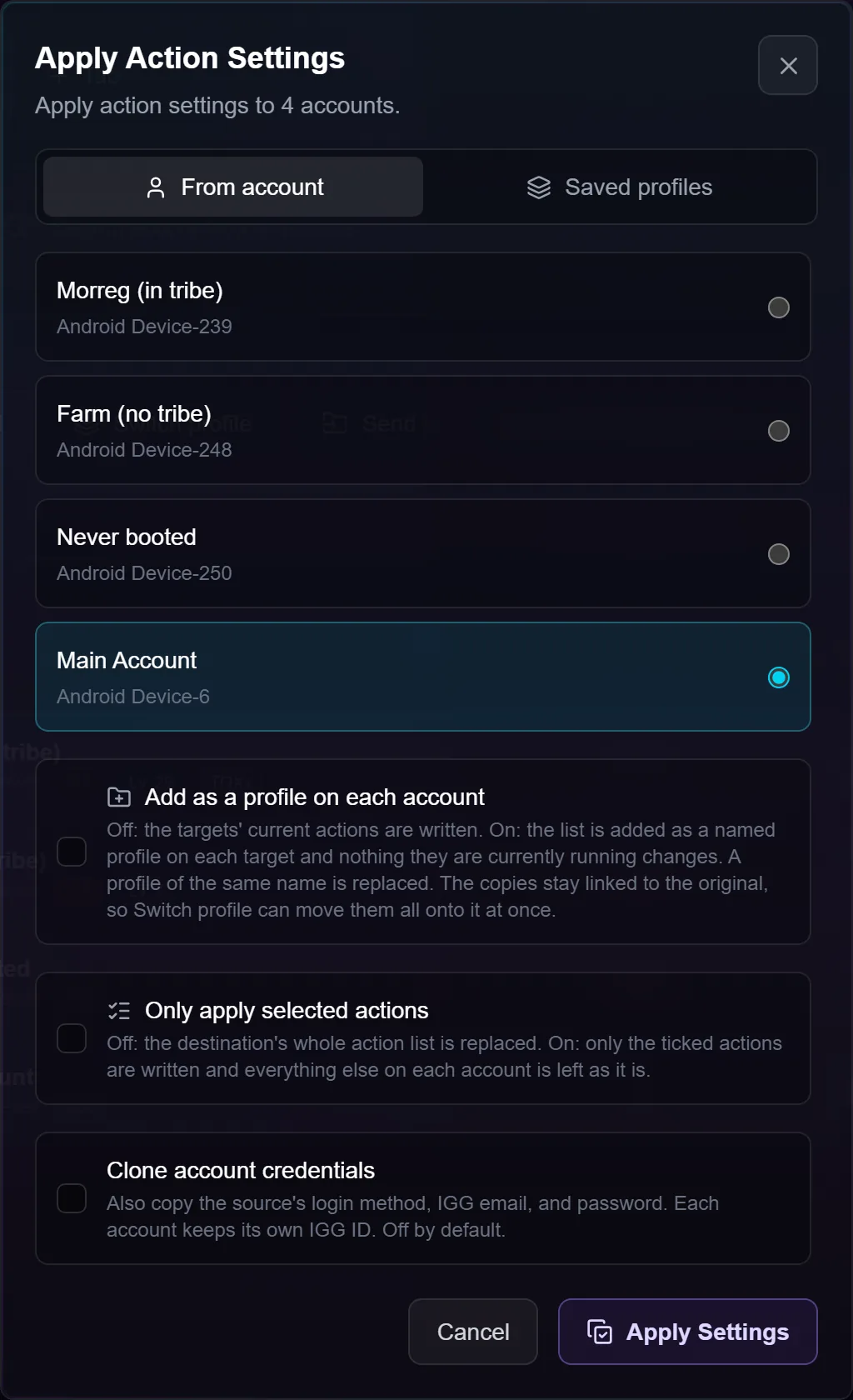
The source is what you copy from; the targets are the accounts you ticked. The source is never changed.
Picking the source
The account picker is in the same order as the Accounts screen you were just looking at: your current tab first, then the others, with grouped accounts kept together as one block in the place that group's card sits on screen.
Every account in a group carries a small violet tag naming it, so you can see at a glance which rows are your templates and why they're together. So a group of template accounts parked at the top of your list is at the top of this picker too.
There's a filter box above the list, so on a fleet of hundreds you type a few characters of the name rather than scrolling. The list is bounded too, so the options you're choosing between underneath it stay on screen instead of being pushed off the bottom. The same filter appears on the profile picker when the source account has several.
The four options
Only apply selected actions — choose which actions to push. Anything you don't pick is left exactly as it is on each target, so you can roll out one changed action without disturbing the rest.
Clone account credentials — off every time the window opens. Leave it off and each target keeps its own credentials. Turn it on and the source's login method, email and password are written over theirs (each keeps its own IGG ID), so only do it when you mean it.
Add as a profile on each account — the setup lands on every target as a named profile they can switch to later, and nothing they're running right now changes. A profile of the same name is replaced. The copies stay linked, so you can later switch every one of those accounts onto it at once — see account profiles.
Profile to copy — appears when the source account has several profiles. Leave it alone and you get whichever one that account is running now.
Troubleshooting
My template accounts are switched off — can I still copy from them? Yes. Whether an account is switched on only decides whether the bot runs it.
The source has more copies of an action than the target. They're paired up in order. If the source runs out its last copy is reused; if the source has more, the extras are added on the end.
My templates are in a different tab. That works — the picker lists your current tab first and every other tab after it, so nothing is hidden. Copying across tabs is allowed on purpose.
An account has no group tag. It isn't in a group. If a group was deleted, its former members lose the tag straight away rather than showing the name of something that's gone.
A long name is cut off. Both account and group names are shortened to fit one line; hovering the tag shows the full group name.
Nothing happened after I applied. The copied setup takes effect the next time each account comes round — it doesn't run anything itself.